 Magnet Manager
 Found a magnet link and don't know what to do?
Install a tiny tool, one click solves it.
Magnet Manager is a small Chrome extension.
On forums or resource sites, hover over a clickable magnet link and an "offline" button appears — click it,
and it's automatically sent to your 115 cloud or your downloader at home.
No copy-paste, no switching between tabs.
Lawful use only. Do not download, share, or manage pirated, infringing, or illegal content. See Terms of Service.
Who is this for?
📦 You use 115 cloud
Found a magnet link online? No need to copy it, open 115, paste it, and wait. With Magnet Manager, hover over any clickable magnet link and an "offline" button appears — click it, it's saved to your 115 automatically.
🏠 You have a download machine at home
NAS, Synology, or an old PC that stays on. Install aria2 (a free downloader — we'll help you set it up), then click a magnet link in your browser and it goes straight to your home machine.
⚡ Both? It picks the fastest route automatically
It tries 115 first. If 115 can take the task, it stays in your 115 queue and may finish instantly or later. If 115 cannot take it, Magnet Manager falls back to your home downloader.
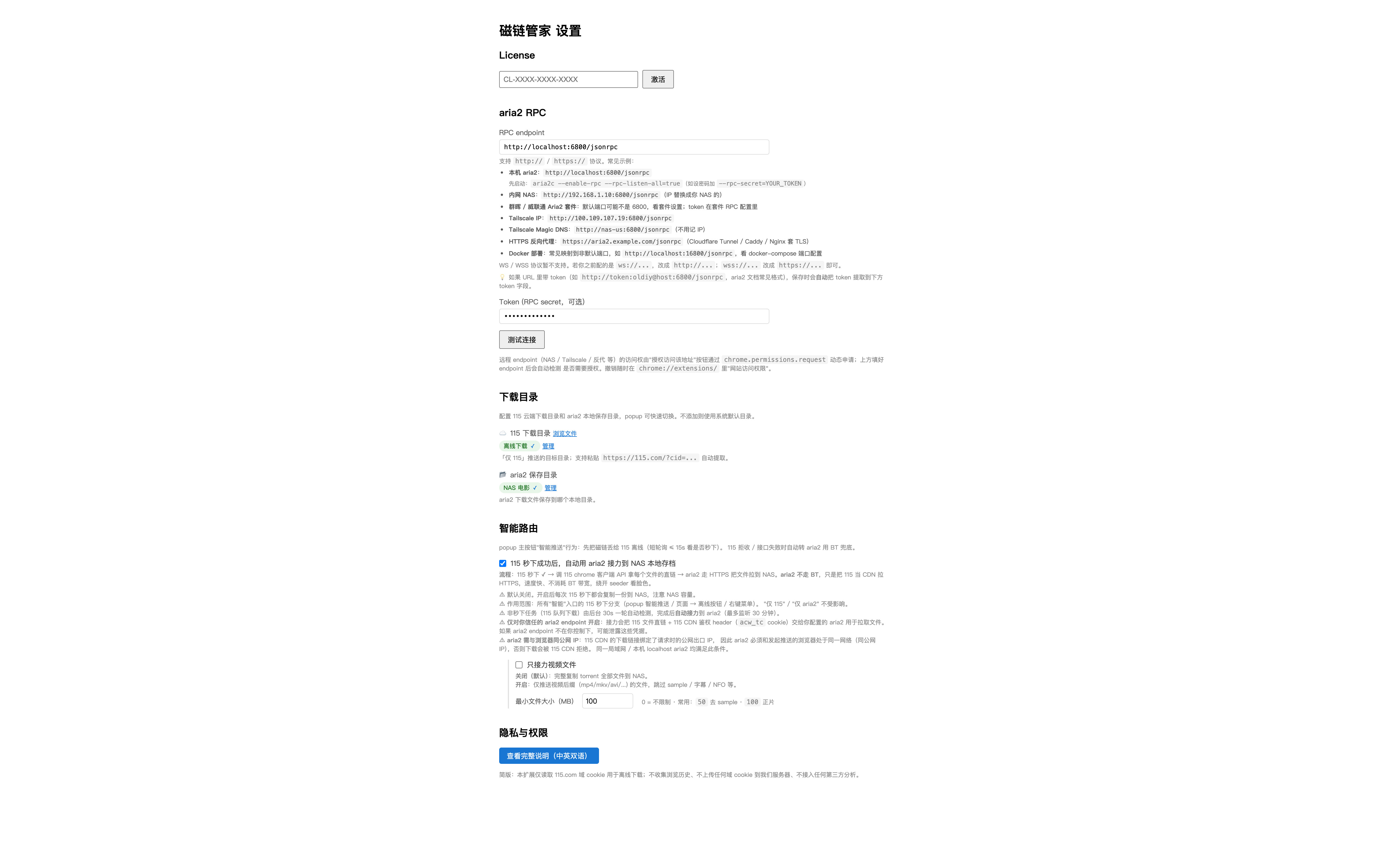
Set it up once
Enter your downloader's address and password in settings once. After that, one click on a magnet link sends it there.
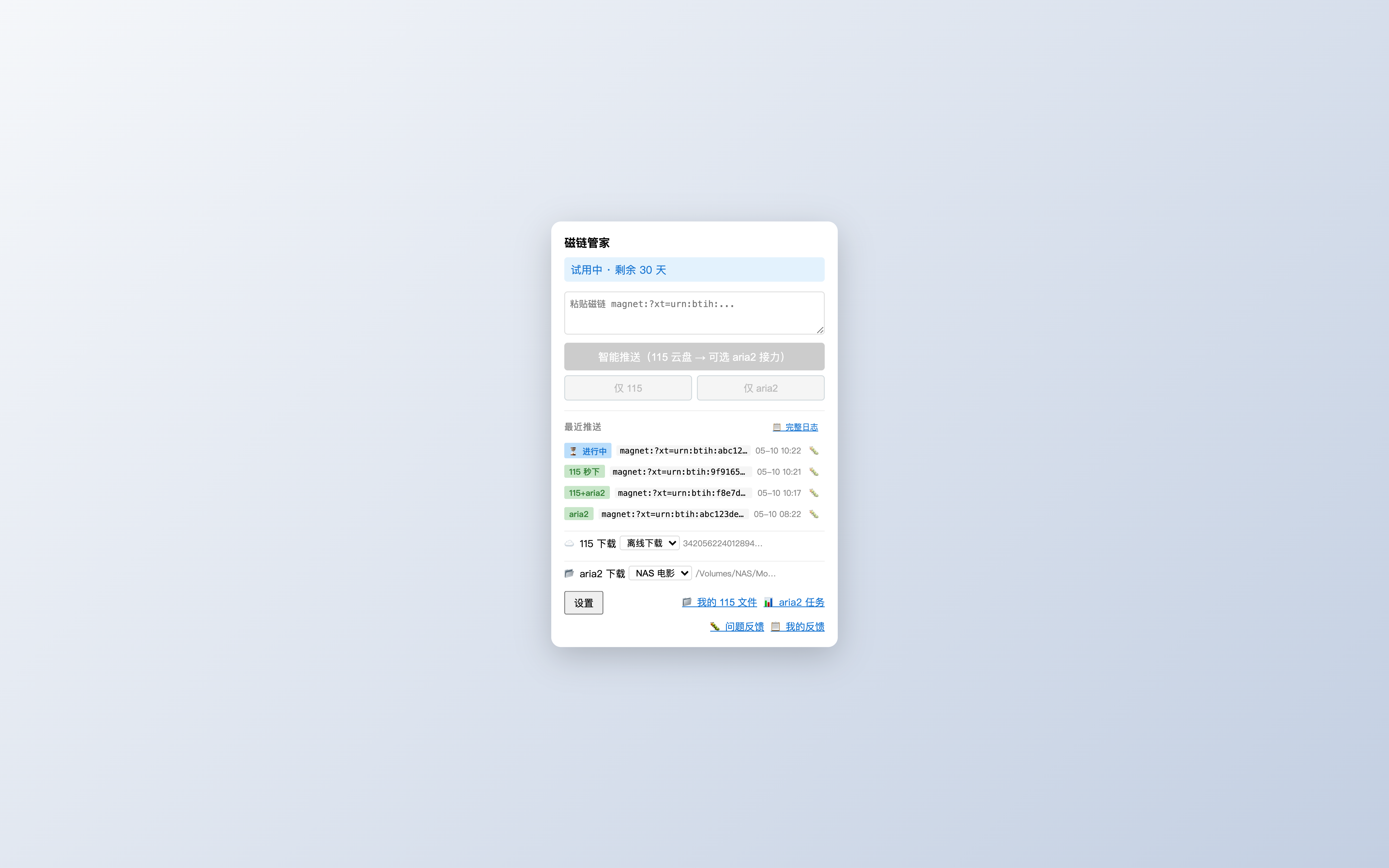
Try 115 first, fall back when needed
Tries 115 first. If 115 can take it, the task stays in your queue — it may finish instantly or later. If 115 cannot take it, it falls back to your home downloader automatically.
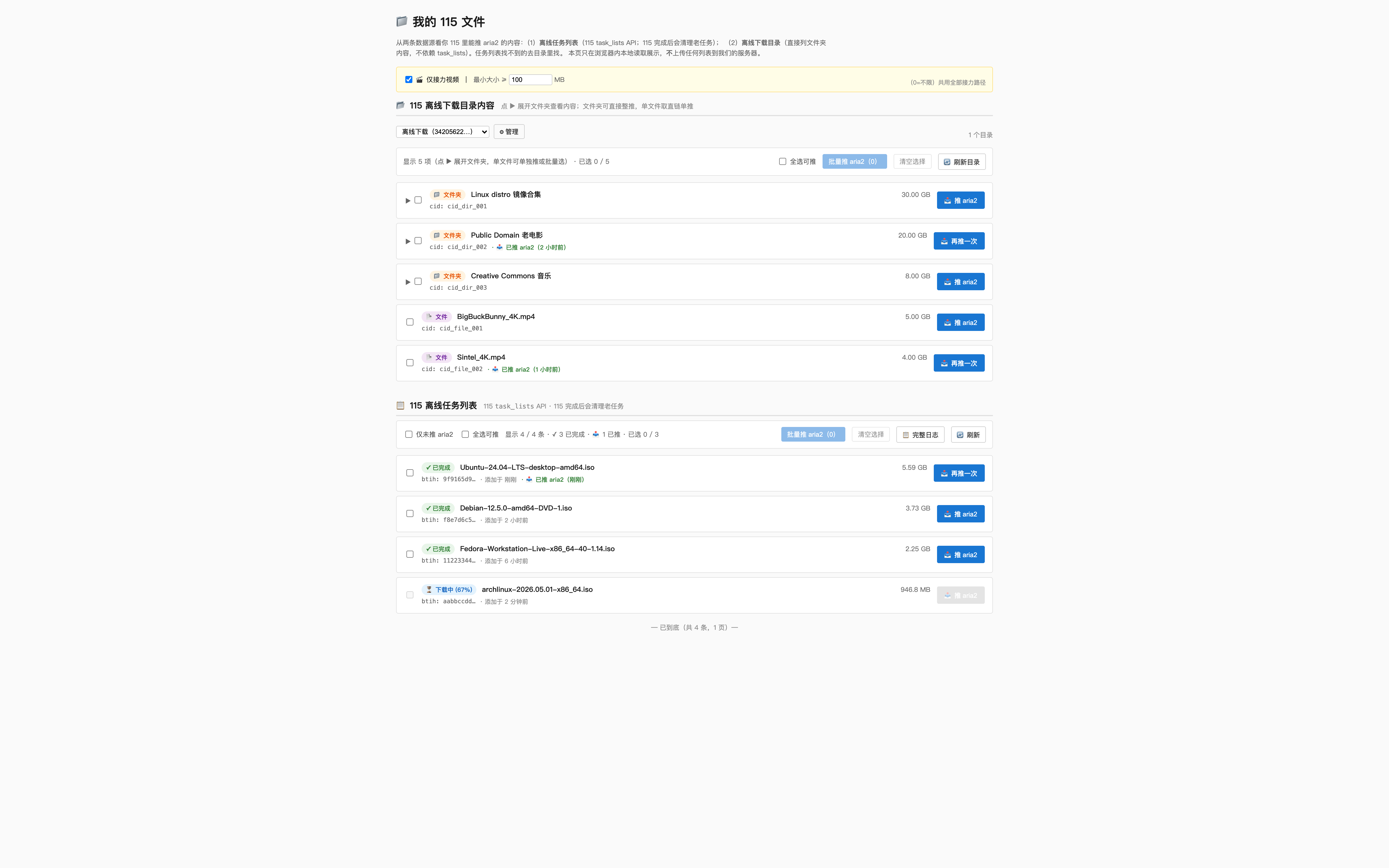
View your 115 offline content
See all your 115 offline tasks inside the extension. Push completed ones to your home downloader with one click.
Scope of use
This product is a browser-side tool that only detects download links that already exist on the page when you actively trigger it. It does not provide resource search, content indexing, file hosting, or distribution services. All 115 / aria2 calls go directly from your browser; targets are entirely controlled by your configuration.